No scrolling
True pagination user interface.


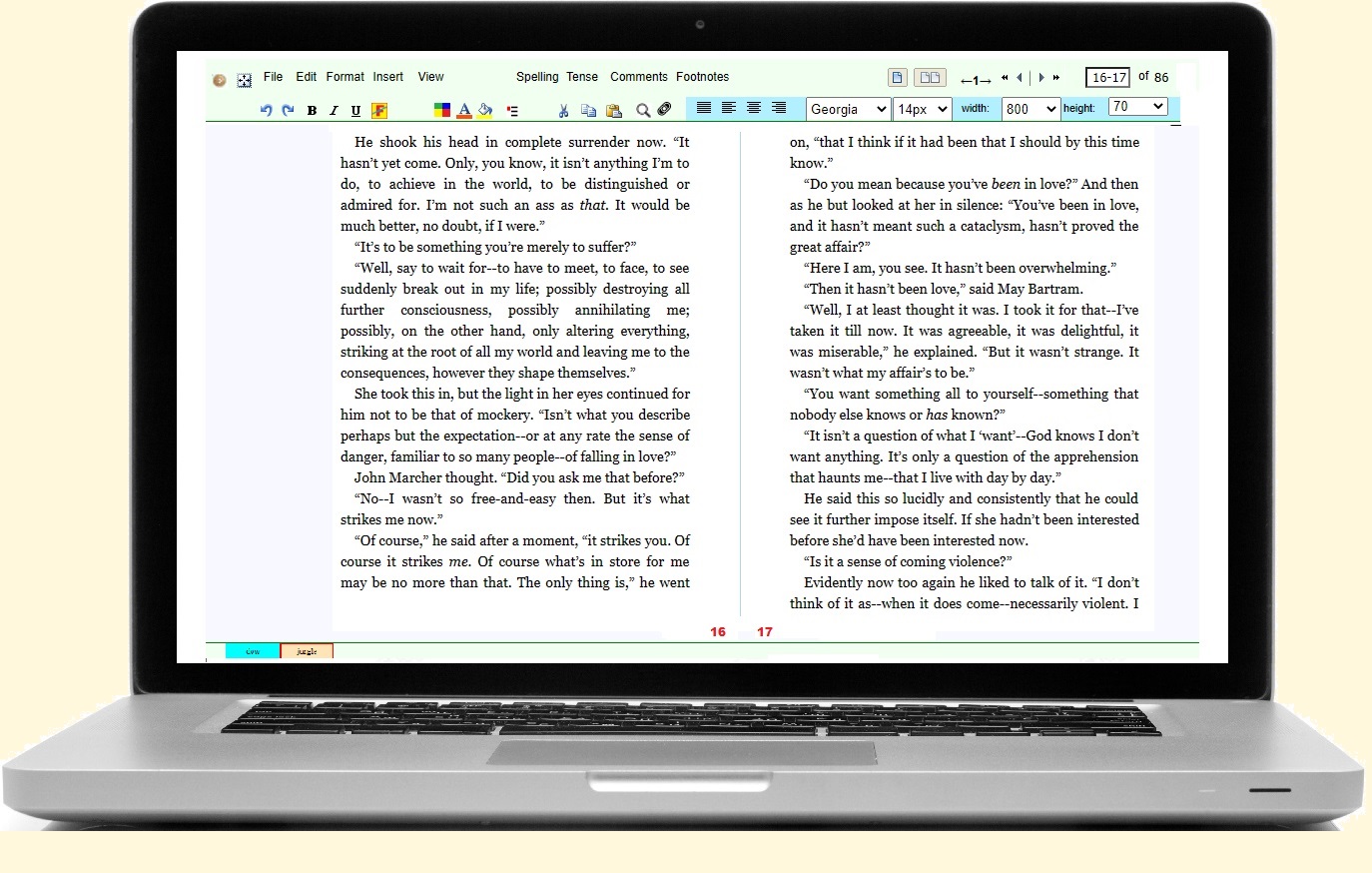
True pagination user interface.
One-click screen to book
Includes TOC, front and back matter, and all metadata.
Your data security and privacy is assured
Works fully offline — cloud backup is optional.
Switch tenses with one click.
Links to bookmarks also link back to every reference.
Blink rate, thickness and colour are all configurable.
Your files are saved in HTML — all CSS properties supported.
A beautiful pastel interface designed around your documents.
WHY WRITORO IS DIFFERENT
As far as we know, Writoro is the only mainstream writing and publishing application offering all of these features together.
Choose a feature at left to explore it in more detail.
MAIN DIFFERENTIATOR
Write the way a finished book is read: page by page, rather than as one continuous scrolling document.
Most word processors use an infinite scrolling canvas with page breaks layered on top. This often leads to visual and cognitive friction: page boundaries rarely align with the screen, so you end up viewing fragments of multiple pages at once, and it’s easy to lose your sense of position in the document.
Writoro takes a different approach. It uses true page-based editing: your work is presented as a sequence of discrete, navigable pages, laid out in a beautifully simple single or double page interface. This keeps the layout visually coherent and makes it much easier to stay oriented, move around, and return to where you were. It simulates your final printed book-output faithfully.
Best viewed on desktop or tablet.
MAIN DIFFERENTIATOR
Writoro takes you from a finished manuscript to a professionally typeset, print-ready book without requiring you to become a desktop-publishing specialist.
Once your manuscript is ready, Writoro handles the book-production details that normally require a separate publishing workflow. Front matter, page size, margins and gutter, table of contents and page numbering are all prepared automatically, so the user can move from writing and formatting to final book output with minimal intervention.
The resulting PDF is intended for printing or publishing, while the accompanying LaTeX file remains available if an editor or graphics designer needs to make specialist adjustments.
Best viewed on desktop or tablet.
MAIN DIFFERENTIATOR
Your writing remains local by default. Writoro does not require your manuscript to live in somebody else's cloud before you can work on it.
Writoro's core editing model is local. That gives authors a straightforward separation between the writing environment and optional online services.
MAIN DIFFERENTIATOR
Writoro includes a built-in tense-changing system designed for fiction and essay writers. You can convert selected passages or entire documents between past and present tense instantly, while preserving your original wording, syntax, and meaning — unlike AI-based rewriting tools that often change phrasing or voice.
The conversion operates on the text you have written rather than generating a rewritten version of it. That makes it useful when you want to compare past- and present-tense versions while retaining the author's phrasing and structure.
MAIN DIFFERENTIATOR
For academic and long-form writers, Writoro offers a complete, interactive cross-referencing system which is fully navigable. From a citation you can cycle through all of its referring links in the document, making it easy to review how a source is used across your work.
For long works, internal links can connect notes, references, recurring material and distant sections without forcing the author to search manually each time.
MAIN DIFFERENTIATOR
Writoro includes its own configurable caret rather than relying only on the browser's standard one-pixel insertion point.
The custom caret is part of Writoro's page-oriented editing model: a small interface detail intended to make the current insertion point easier to follow while composing and revising across discrete pages.
As well as the major differentiators shown at left, Writoro presents an exhaustive set of tools expected of a capable authoring environment.
Control line, paragraph, word and letter spacing, column dimensions, drop caps, block quotes, hanging indents, kerning and font darkening.
Search by multiple criteria, including multiple words or phrases and across multiple files.

Open and write a wide range of formats including text, HTML, DOCX, ODT, XML, RTF, PDF, EPUB, Markdown and LaTeX.
Use voice input as part of a streamlined writing interface alongside keyboard and typewriter modes.
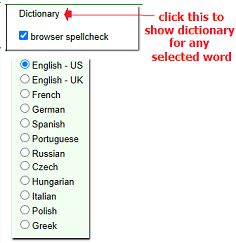
Run spellchecking on demand, without persistent squiggly lines interrupting the writing process.
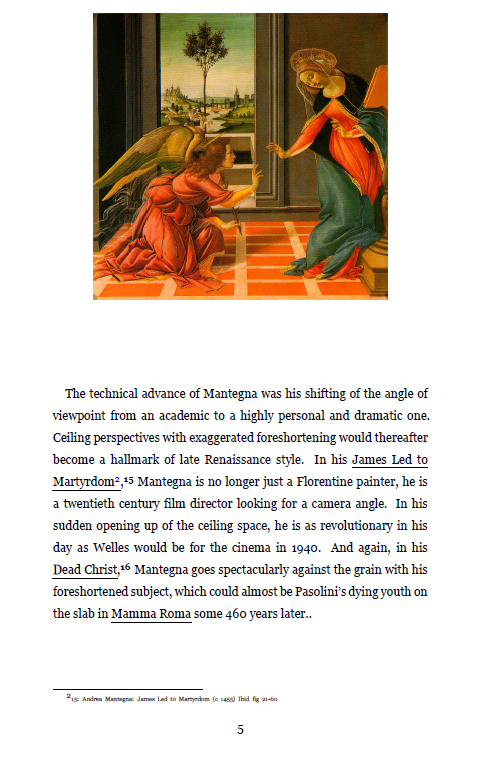
Keep sidenotes positioned beside their links on screen and carry sidenotes and footnotes through to PDF output.
Create multiple list types and reorder, copy, paste or split items.
Insert images from disk or web, then resize, move, wrap, cut, copy and paste them.
Choose the standard browser caret or a wider custom caret, with configurable blink and colour behaviour.
View counts for characters, words, lines, sentences, paragraphs, pages and selections.
Support dialogue and quoted strings, including nested quotation marks.
Access contextual help directly from menu items.
Select any text and the surrounding text becomes invisible. Ideal for focusing on a small section of your text.
Automatic backup to local disk with full versioning supported. Backup to cloud is optional, in line with Writoro's advanced offline privacy model. File syncing across all your devices is user configurable.
Every function is available from standard menus. Visual icons are simple and intuitive. Shortcuts are available for all common actions.
Menus and other navigational aids can be toggled on or off, enabling a completely minimalist view of the text whenever you want it.
Page source can be viewed separately from the rendered file.
Keyboard input is disabled in this mode. Ideal for a concentrated reading of the text.
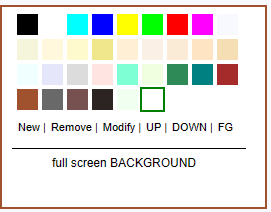
Font, background and highlighting colors are fully configurable. Custom colors are easily created, and dark mode is supported.
Normal printing is available from the browser using the standard Ctrl-P shortcut. Advanced printing is available through the Print PDF item on the File menu.
Everything you'd expect of a modern writing app: undo/redo, copy/cut/paste, and a comprehensive set of text-formatting aids.
Files are written and saved in HTML with embedded CSS styling, making them ideal for dropping into a personal website or blog. Writoro is a genuine WYSIWYP — what you see is what you print — editor.
Writoro keeps your system in sync with the master version on its server. Whenever there is a bug fix or improvement, the update is tested by quality control and then pushed to users automatically in the background. If you are offline, the update takes place when you next connect to the internet.
All word processors scroll, right?
They do. But consider this. Scrolling is not how you read a book, and it needn't be the way you write one either.
Other word processors don't do pagination because pagination is difficult.
Writoro presents a beautifully simple two-page interface, which can be switched to a single page with a click — or, if you insist, to a scrolling interface as well. It simulates your final printed book-output faithfully.
So why wait?
No credit card required.

— what you see is what you print —
The installer we send you is digitally signed
by Microsoft
or Apple.
Just click it and writoro will be safely installed in its own folder. (On Windows this will be
C:\writoro)
To uninstall writoro, simply delete that folder.
| Choose your plan | Price |
| FREE | |
| US$7.50/month × 12 | |
| US$5.00/month × 24 | |
| US$69 one-time |